Launchpad
The launchpad provides a way for the user to easily navigate between applications.
Usage
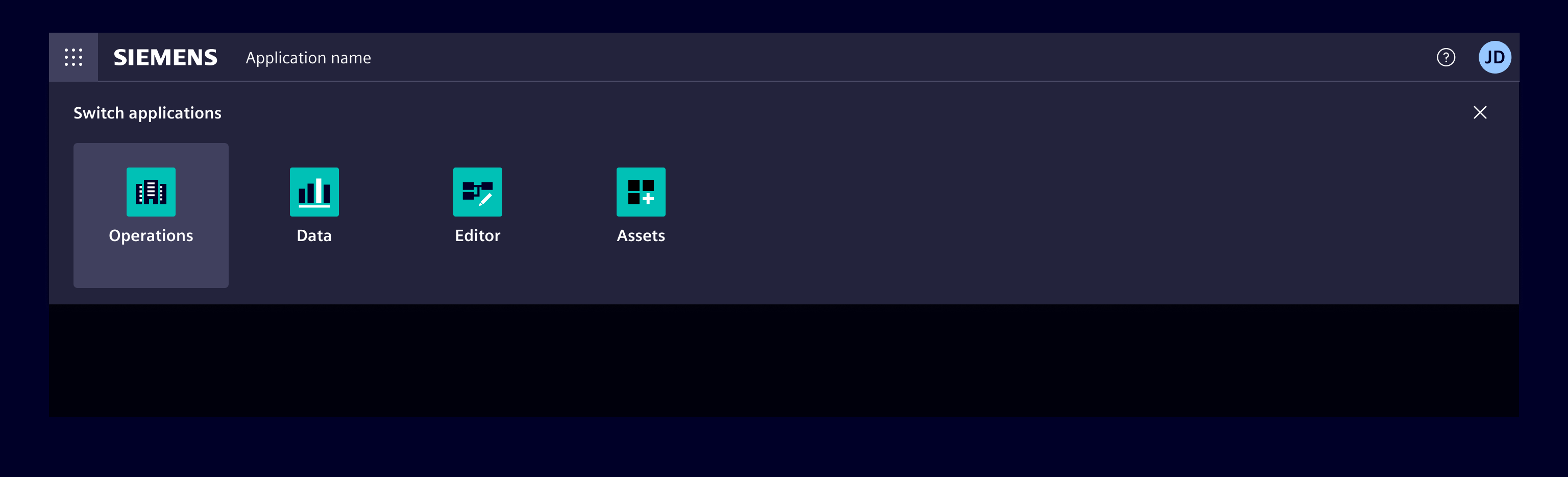
When to use
- Use a launchpad to give the user the possibility to launch apps or switch between apps easily within one application.
Best practices
- If there are a lot of apps, it's recommended for this component to include recently used apps, frequently used apps.
- If the list is a manageable size, include all apps or products available on the system.
- Allow users to manage the applications.
- Only use the launchpad for more than two apps.
Design
Elements
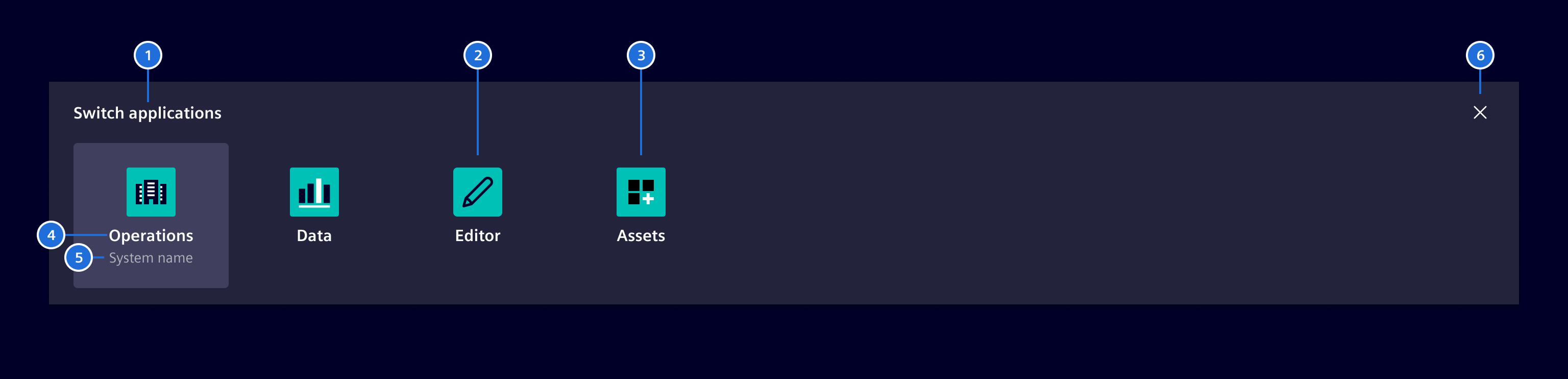
- Title, 2. App with icon, 3. App with logo, 4. App name, 5. System name (optional), 6. Close
The app is represented by the app logo or alternatively by an icon.
States
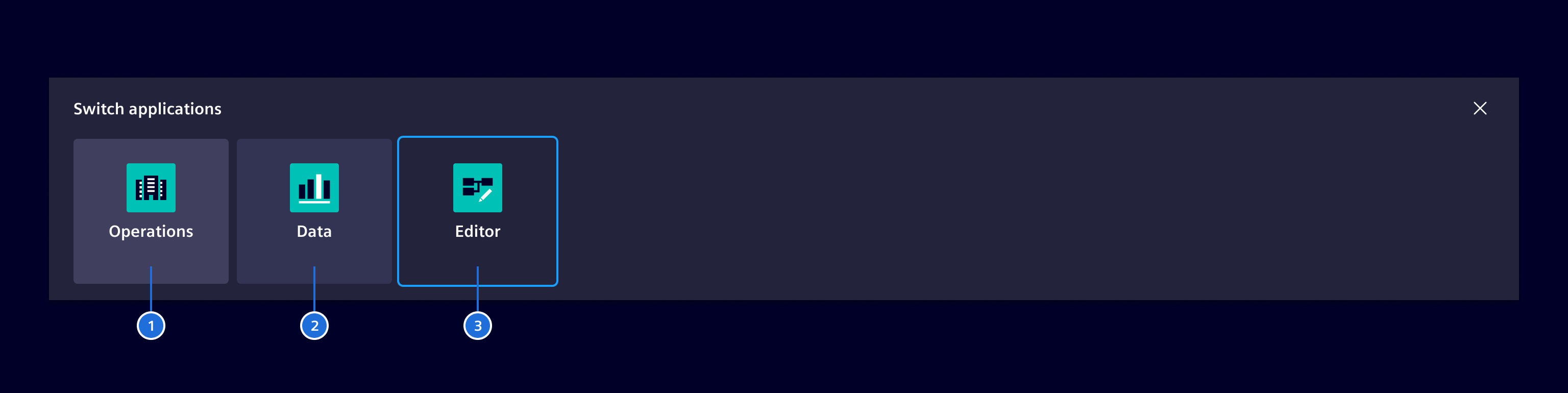
- Current app, 2. Hover state, 3. Focused
Categories (optional)
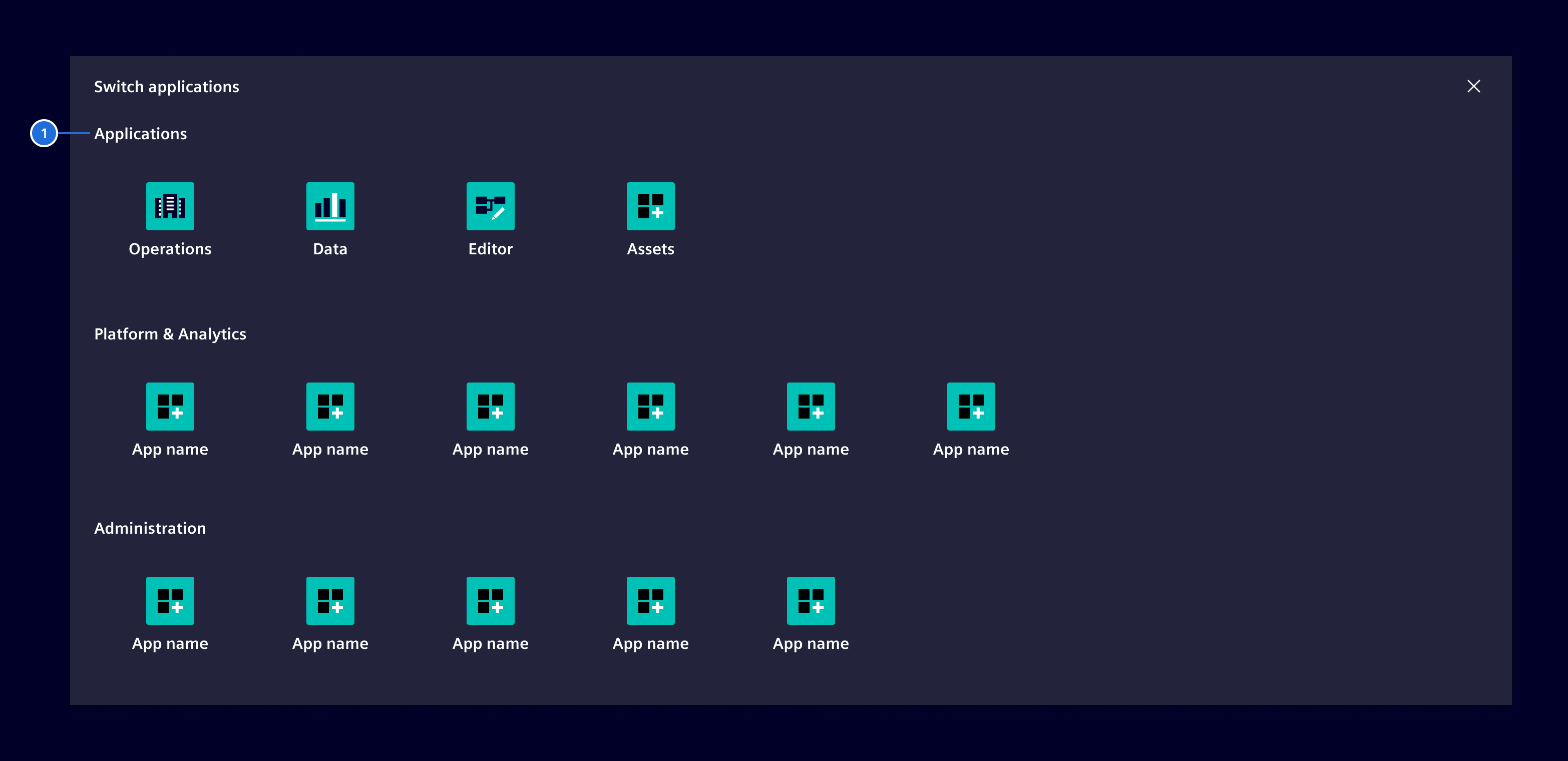
- Category title
If there is a large number of applications it is possible to organize and group them for a better overview. Apps should be grouped in a logical and meaningful way.
Favorites (optional)
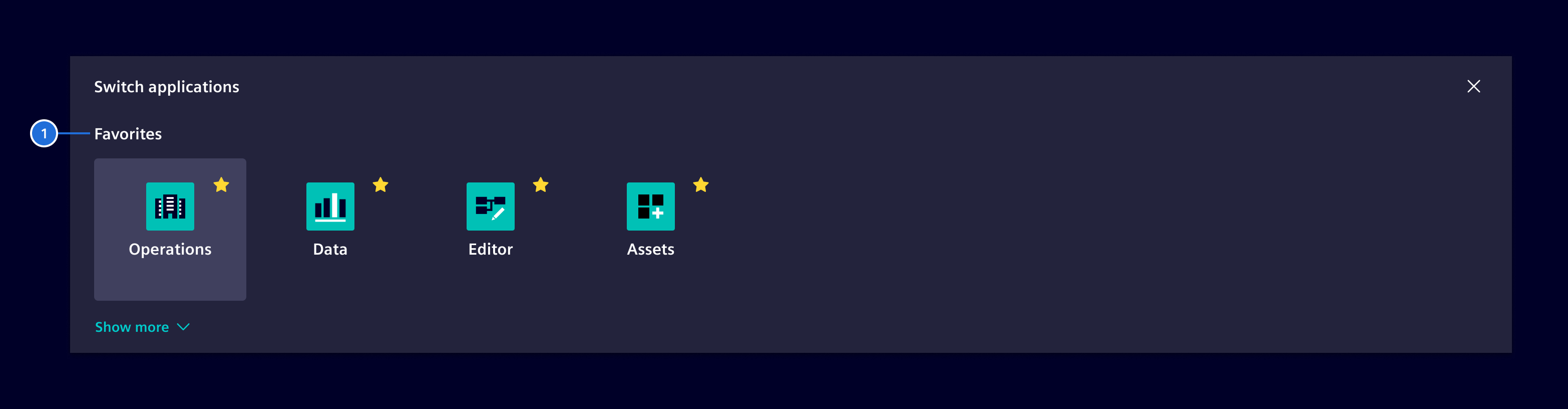
For a better overview, the concept of favorites allows the user to only show the most important apps at a glance and to hide less frequent used ones.
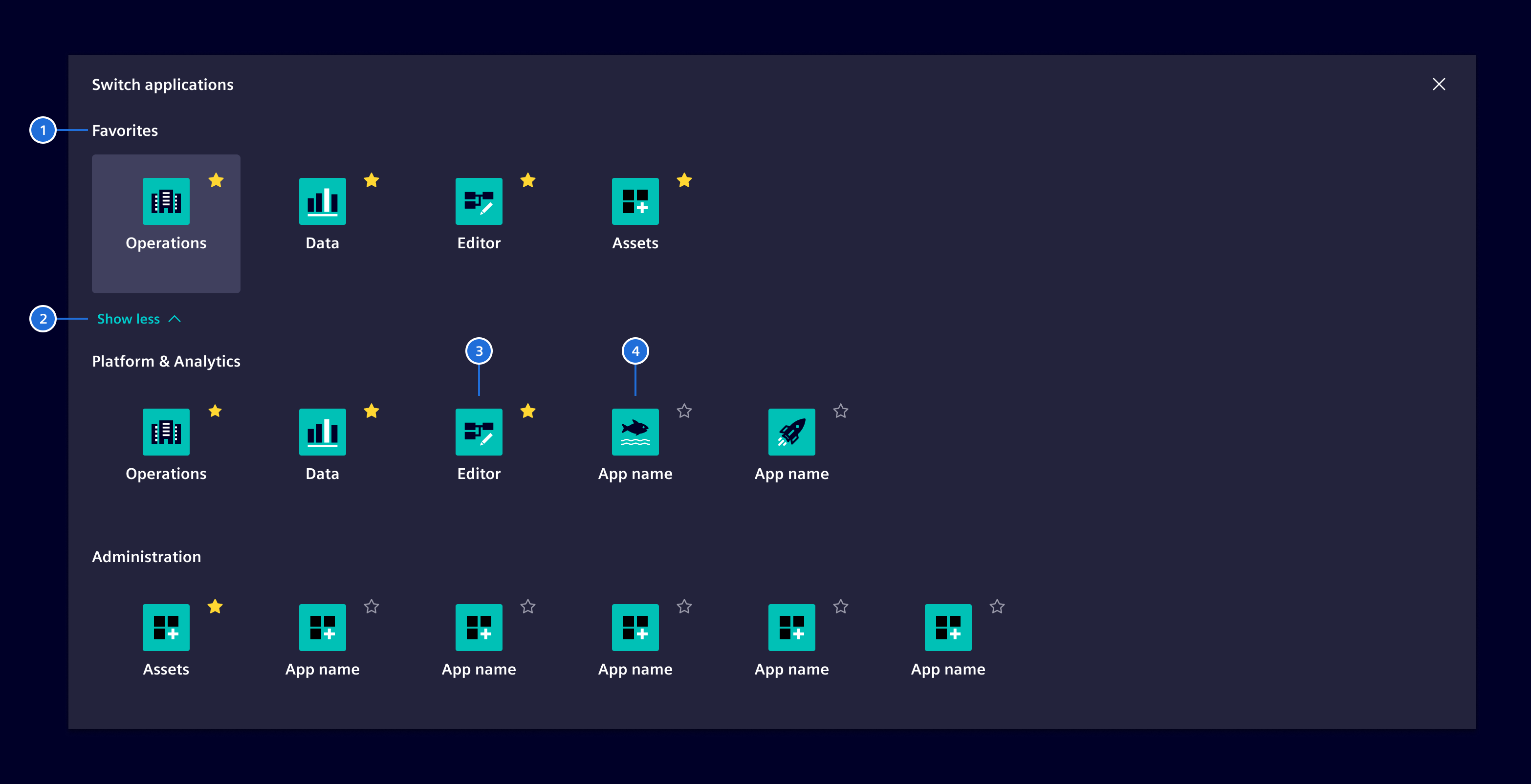
- Title, 2. Expand/Collapse-toggle, 3. Favorite app, 4. Standard app
In the expanded view, the user can click on the star-icon to mark the app as a favorite one. The app will then be part of the favorite apps category. To unstar an app the user simply clicks on the star-icon again.
Both concepts of Categories and Favorites can be mixed if necessary.
Open app in separate tab (optional)
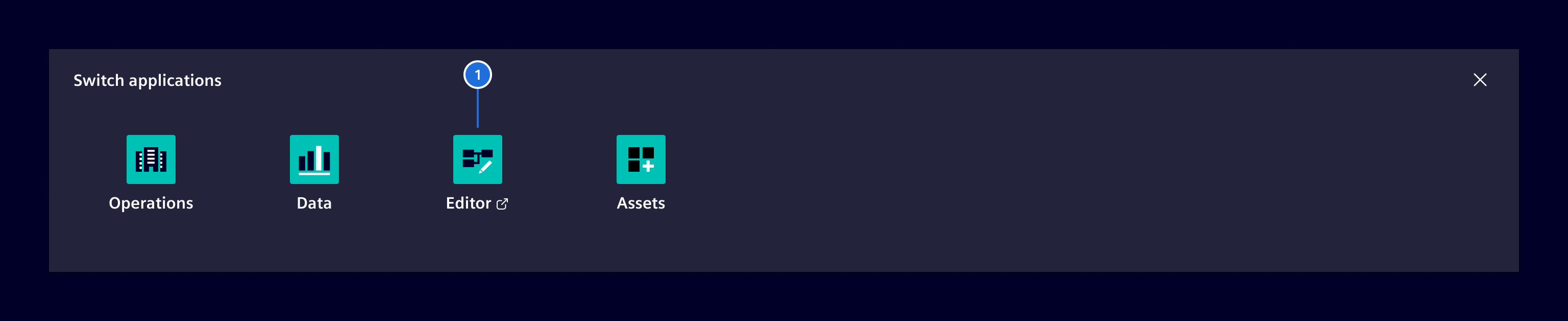
- Open app in separate tab
Apps opening in a separate tab must be marked by an additional element-export icon.
The original tab remains open to allow a fast and easy return to the current app.
Responsive behavior
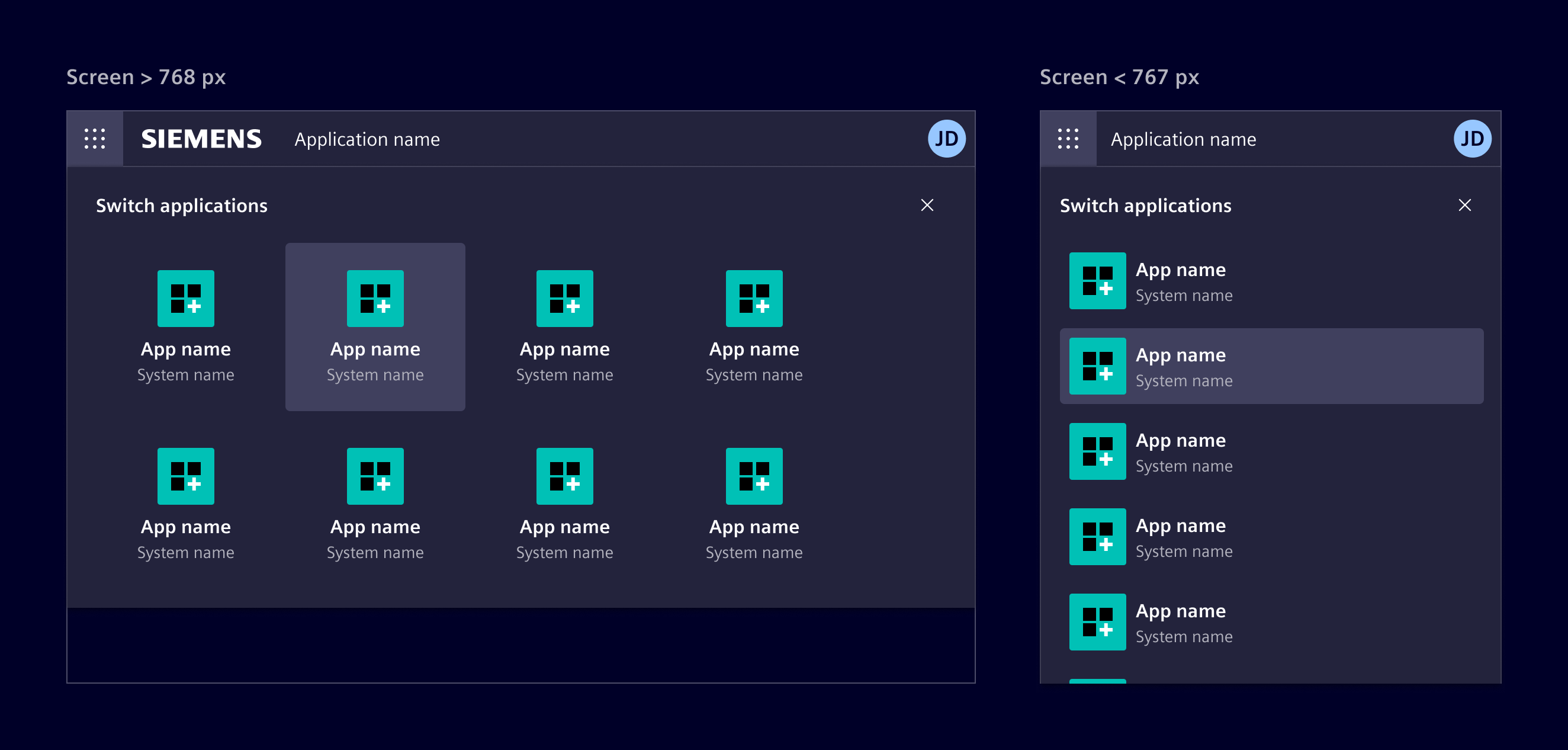
By decreasing the viewport size the apps within the launchpad will be stacked. For screen sizes <768px (sm and xs), the layout switches to a vertical list.
Code
The launchpad (si-launchpad-factory) ist part of the application header.
Wrap it inside a ng-template and provide the template to the si-application-header component.
<si-application-header [launchpad]="launchpad"> ... </si-application-header>

<ng-template #launchpad>
  <si-launchpad-factory [apps]="myAppsOrCategories" />
</ng-template>
Example
SiLaunchpadFactoryComponent API Documentation
si-launchpad-factory
Input Properties
| Name | Type | Default | Description |
|---|---|---|---|
apps ¶ ¶ |
(App[] | AppCategory[]) |
All app items shown in the launchpad. | |
| closeText ¶ |
TranslatableString |
$localize`:@@SI_LAUNCHPAD.CLOSE:Close launchpad` |
Text to close the launchpad. Needed for a11y. |
| enableFavorites ¶ |
boolean |
false |
Allow the user to select favorite apps which will then be displayed at the top. |
| favoriteAppsText ¶ |
TranslatableString |
$localize`:@@SI_LAUNCHPAD.FAVORITE_APPS:Favorites` |
Title of the favorite apps section. |
| showLessAppsText ¶ |
TranslatableString |
$localize`:@@SI_LAUNCHPAD.SHOW_LESS:Show less` |
Title of the show less apps button. |
| showMoreAppsText ¶ |
TranslatableString |
$localize`:@@SI_LAUNCHPAD.SHOW_MORE:Show more` |
Title of the show more apps button. |
| subtitleText ¶ |
TranslatableString |
Subtitle of the launchpad. When not provided, no subtitle is displayed. | |
| titleText ¶ |
TranslatableString |
$localize`:@@SI_LAUNCHPAD.TITLE:Switch applications` |
Title of the launchpad. |
Output Properties
| Name | Type | Description |
|---|---|---|
| favoriteChange ¶ |
FavoriteChangeEvent |
Types Documentation
|
|
|---|
|
Represents a categories in the launchpad.
|
|||
|---|---|---|---|
|
|
Represents a translatable string. This can either be a translation key, e.g.
ACTIONS.EDIT that
will be automatically translated when displayed on the UI or a pre-translated string, e.g. Edit .
Equivalent to a normal string in usage and functionality.
|
|---|
|
|
|||
|---|---|---|---|
|
|
Represents an app to be shown in the launchpad.
|
|||||||||||
|---|---|---|---|---|---|---|---|---|---|---|---|
|
|
|
|||||||||||
|---|---|---|---|---|---|---|---|---|---|---|---|
|
|
|
|||||||
|---|---|---|---|---|---|---|---|
|
Except where otherwise noted, content on this site is licensed under MIT License.