AG Grid
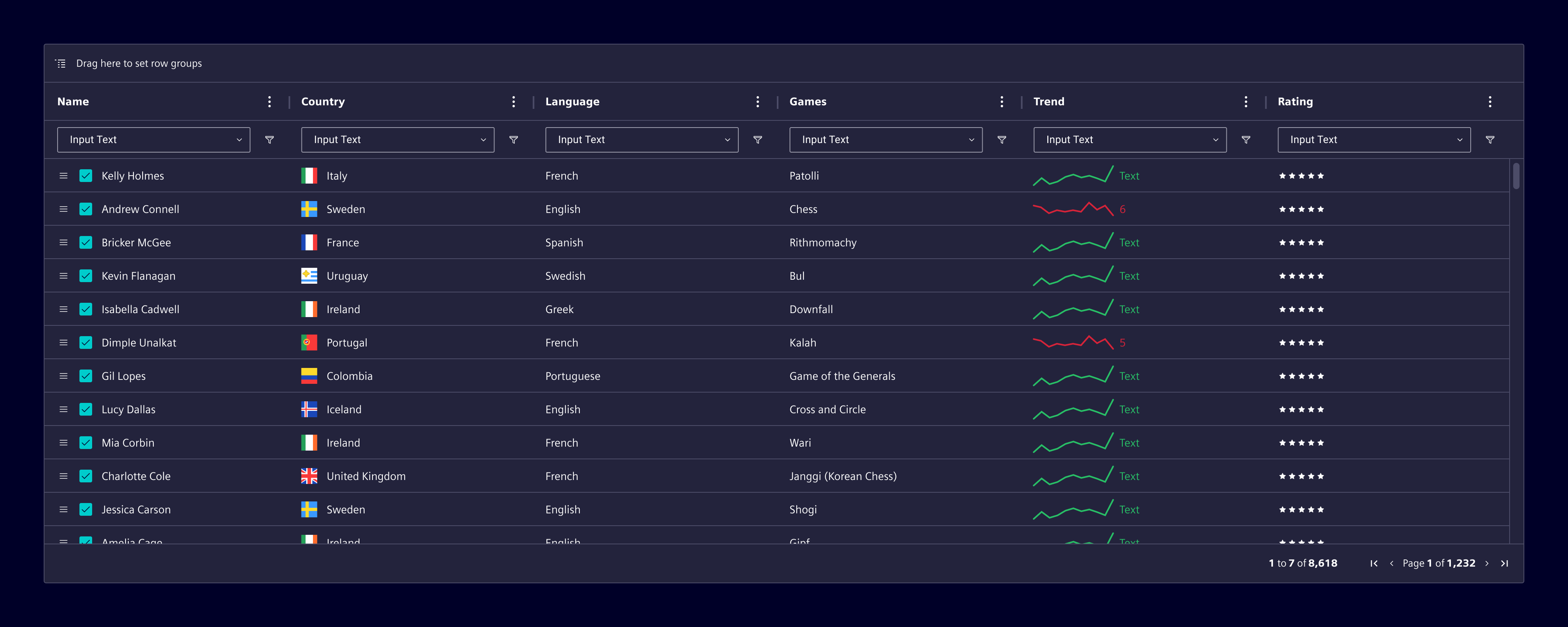
AG Grid is intended for highly complex, enterprise-level data grid use cases.
Usage
It should be used only when requirements exceed what NGX-datatable can reasonably support, such as spreadsheet-like behavior, advanced cell logic, or highly customized interactions.
AG Grid requires a paid license and introduces higher implementation and maintenance costs Adoption should be justified by clear functional needs.
For AG Grid, we provide a theme to ensure visual alignment with Element. However, styling and behavior are partially constrained by AG Grid itself, so not all Element patterns and interactions can be fully enforced.
Code
Required Packages
First, register the AG Grid modules in your main.ts:
import { ModuleRegistry, AllCommunityModule } from 'ag-grid-community';

ModuleRegistry.registerModules([AllCommunityModule]);
Then, add the Element AG Grid configuration provider in your app.config.ts:
import { provideSiAgGridConfig } from '@siemens/element-ng/ag-grid';

export const appConfig: ApplicationConfig = {
  providers: [provideSiAgGridConfig()]
};
You can also pass a density mode and custom grid options:
export const appConfig: ApplicationConfig = {
  providers: [
    provideSiAgGridConfig('compact', {
      rowHeight: 30,
      suppressMenuHide: true
    })
  ]
};
Client side pagination
Infinite scroll
Empty state
Filter
Row pinning
Except where otherwise noted, content on this site is licensed under MIT License.